

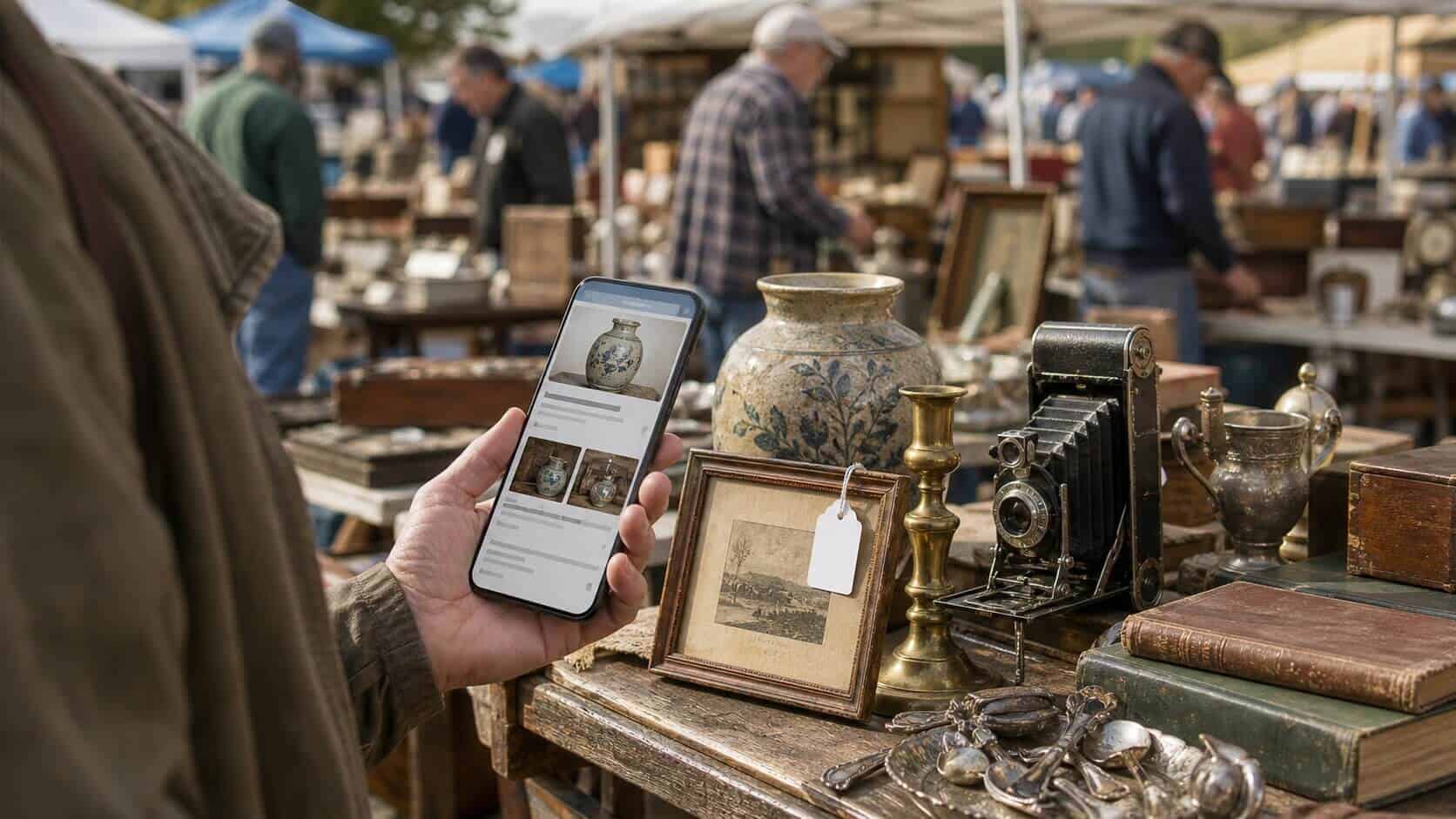

A dealer at the Marché aux Puces de Saint-Ouen once described a battered chrome desk lamp as “almost certainly” a prototype from a known Parisian atelier. It was a good story. It was also, after thirty seconds with a smartphone, demonstrably not true. That’s the moment most regular flea market shoppers realise what a phone is actually worth at a stall.
Using a smartphone at the flea market isn’t about distrust — it’s about information. Dealers research their stock before they price it. You should be doing the same before you pay. Three specific situations make it genuinely worth pulling out your phone: verifying an item’s origin, checking resell value, and strengthening your position when it’s time to haggle. None of these require much time, and none of them are rude. They’re just how informed buying works.
Smartphones have become powerful enough, and mobile data coverage broad enough, that on-the-spot research is now practical in most markets — including outdoor ones. The tools have quietly matured too. Image recognition, completed-sale databases and instant translation have all improved to the point where a two-minute phone check can shift a negotiation entirely. What follows are the three situations where that check is genuinely worth making.
Verifying an Item’s Origin Before You Commit
Flea market dealers can be excellent storytellers. Some believe their own stories — passed down from the previous owner, embellished across multiple resales until a vague claim has hardened into stated fact. This isn’t always dishonesty. Provenance gets muddled. Labels get separated from objects. A piece changes hands four times before it reaches the market, and each owner adds their own interpretation. By the time a dealer tells you that this pen “may have been used to sign” a particular treaty, they’re usually repeating what they were told, not fabricating from scratch.
The problem for buyers is that a compelling story raises the price. You’re not just paying for the object — you’re paying for the narrative. If the narrative is shaky, you’re overpaying. A quick search on your phone won’t always resolve every question of attribution, but it will often reveal whether a claimed manufacturer was still producing a particular style in the period the dealer is describing, whether a hallmark is consistent with the stated origin, or whether the same item is widely available and simply marketed as something rarer than it is.
Google Lens is the most immediately useful tool here. Point it at a maker’s mark, a stamp on the base of a ceramic, or a typeface on a vintage label, and it will surface similar objects, reference images and, frequently, collector forum discussions that place the item in context. For ceramics, silverware and signed prints in particular, a thirty-second image search will often tell you whether you’re looking at a known production piece or something genuinely unusual. Neither answer is automatically better — a well-priced production piece beats an overpriced “rarity” every time — but knowing which you’re holding changes the conversation.
For text-based research — checking a patent number, reading a foreign-language inscription, or identifying a country of origin from a hallmark system you don’t recognise — a browser search or a translation app will take you further than image recognition alone. The point isn’t to become an instant expert; it’s to ask a better question of the dealer, or to recognise when the story and the object don’t quite match.
Checking Resell Value Before You Pay
If you’re buying to resell — or simply want to know whether a price is fair — the most useful thing your phone can do is show you what similar items have actually sold for. Not what sellers are asking. Completed sales. The gap between those two numbers is often wide, and it almost always favours the seller’s listing price over market reality. A few minutes with eBay’s sold-items filter or a completed-listing search on Etsy will tell you quickly which side of that gap you’re standing on.
Google Lens has made this faster than it used to be. Point it at an object — a piece of pottery, a vintage radio, a mid-century brooch — and it will identify the item, pull up visually similar listings and, in many cases, surface price ranges across multiple platforms in one step. It’s built into Android cameras and available as a standalone app on iOS, so there’s no separate download needed. A few years ago this kind of visual search required a dedicated app and produced unreliable results; it’s now accurate enough to be genuinely useful at a stall.
The method matters as much as the tool. When checking value, look for sold prices rather than active listings, and try to match the condition honestly — a mint-boxed example and a well-used one are not the same market. If you’re seeing wide price variation, that usually signals either a strong collector market with condition sensitivity, or a category where dealers on different platforms are pricing to very different buyers. Both are worth knowing before you negotiate.
Using What You Find to Negotiate
The third use of a phone at the market is the most direct: bringing information into a price conversation. Dealers set their prices based on research too, and a confident, specific counter-offer lands differently than a vague “can you do any better?” If you’ve pulled up three completed sales showing a lower average, you have something concrete to point to. Most experienced dealers will respect that, even if they don’t immediately match it.
The approach matters. Showing a dealer a screen full of cheaper listings is confrontational and rarely productive — it reads as an attempt to embarrass rather than to negotiate. Showing one or two comparable sold prices, and framing it as context rather than evidence of wrongdoing, tends to go better. Something like “I’m seeing these go for around X on completed sales — is there any movement on the price?” keeps the conversation open. Dealers who have researched their stock properly will often acknowledge the data; those who haven’t may adjust faster than you’d expect.
Translation apps earn a mention here too, particularly at international markets or brocantes where French, German or Dutch descriptions are part of the object’s paperwork. A quick photo-to-text translation can surface a production date, a regional hallmark system, or an original retailer’s name that shifts the whole conversation — and that the dealer may not have bothered to check themselves. The information asymmetry at flea markets has traditionally favoured the experienced dealer; a smartphone narrows it without requiring years of specialist knowledge.
Where Smartphone Research Pays Off Most
The three uses described above — verifying origin, checking resell value, and negotiating with data — are not equally useful in every situation. Knowing when to reach for your phone, and when the exercise is likely to waste your time or cool a promising conversation, is its own skill.
Provenance research matters most when an item is expensive relative to what you’d normally spend, when the story attached to it is unusually specific, or when you’re in a category where fakes and misattributions are common — ceramics, prints, vintage watches and signed pieces of any kind all qualify. For a €12 enamel tin or an unmarked linen tablecloth, the research overhead isn’t worth it. For a signed lithograph or a piece of jewellery described as hallmarked silver, a few minutes with Google Lens and a hallmark database can easily be the difference between a good buy and a costly mistake.

Resell value checks pay off most in categories with active online markets: vintage cameras, audio equipment, mid-century ceramics, certain toy lines, film posters, and branded fashion accessories all trade regularly on eBay, Etsy and Vinted, which means completed-sale data is plentiful and reasonably current. In categories with thinner online markets — regional pottery, obscure trade ephemera, very local vernacular furniture — the data is sparser and you’ll need to triangulate more carefully, or defer to specialist forums and groups rather than general marketplace searches.
Negotiation with data works best when the dealer is actively engaged and the price gap is modest. If a stall holder has marked something at €150 and your research suggests €90 is closer to the real market, there’s a productive conversation to be had. If their price is €150 and you’ve found one outlier listing at €40, leading with that single data point is unlikely to go well — and probably shouldn’t. The strength of your position scales with the consistency of the evidence, not just the existence of a lower number somewhere on the internet.
One additional context where a smartphone earns its keep: international and multilingual markets. At a French brocante, a Belgian antique fair, or a Dutch Sunday market, labels, stamps, maker’s marks and accompanying paperwork are often in a language you don’t read at speed. A quick photo-to-text translation via Google Translate — or a Google Lens scan — can pull a production date, a regional hallmark, or an original retailer’s name from what looked like unintelligible print. That information sometimes shifts the conversation significantly, and occasionally surfaces something the dealer themselves hasn’t taken the time to look up. The knowledge gap at flea markets has historically favoured the specialist with years in the category. A smartphone doesn’t replace that experience, but it narrows the distance considerably.
None of this requires a polished system or a set of specialist apps. Google Lens, a browser with eBay and Etsy open, and the basic Google Translate camera function cover the majority of situations most buyers encounter. The habit that matters is simply deciding, before you commit to a significant purchase, to spend two or three minutes checking what you think you know — because dealers have almost certainly already done that work on their side of the stall.
Frequently Asked Questions
Is it rude to use your phone in front of a dealer?
Most experienced dealers expect it and are unbothered by it. Researching an item before buying is a normal part of the transaction — dealers do the same before they price their stock. If anything, showing a dealer a comparable listing can open a productive conversation rather than shutting one down. The only scenario where it feels awkward is if you spend several minutes scrolling while the dealer waits; a quick two-minute search is fine, a prolonged session less so.
Can I use my smartphone to negotiate a lower price?
Yes — and this is arguably where it adds the most value. If you can show a dealer a completed eBay sale for the same item at a lower price, you’ve moved from opinion to evidence. That said, context matters: a one-of-a-kind piece, or a dealer who clearly knows their market, won’t be shifted by a single comparable listing. For more on the mechanics of flea market negotiation, see our guide to the art of flea market haggling.
Which apps are actually worth using?
Google Lens covers the majority of situations most buyers encounter — object identification, similar listings, price data from live and completed sales, and photo-to-text translation for foreign-language labels and maker’s marks. A browser with eBay and Etsy open handles resell value checks, with completed sales always more reliable than active listings. Google Translate’s camera function is underrated at international markets. You don’t need a specialist toolkit; these three tools together are enough for most stall-side decisions. If you want to get an idea of how powerful this application is, the article How Google Lens Helped Me Get $3000 Worth Of Antiques For $170 (In 45 Minutes) is worth a read.